Workflow
Llaboratory follows a workflow from experiment design to analysis and reporting: build tools, configure a model, assemble a plan, run it once or in batch, then analyze the results.
0. Getting Started
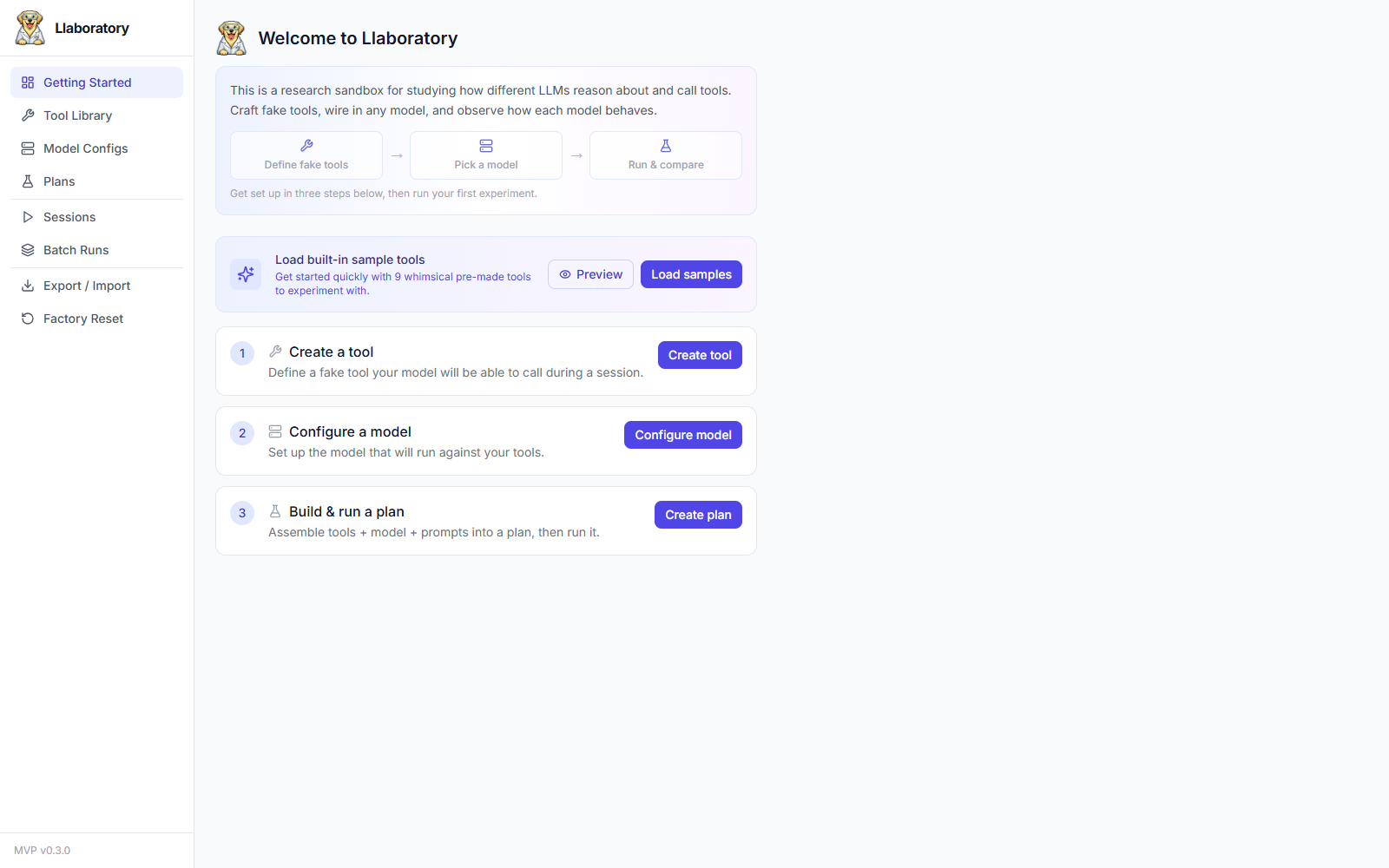
A fresh instance shows a Getting Started checklist on the home page instead of an empty screen. It tracks three prerequisites — a tool, a model config, and a plan — and links straight to the builder for whichever is missing. If you just want to explore, click Load samples to seed the 9 built-in whimsical tools described below without creating anything by hand. The checklist (and its sidebar entry) disappears automatically once a plan exists.
1. Tool Library
The Tool Library is where you create and manage fake tools. Each tool consists of:
- A model-facing name and description — these are primary experimental variables you can tweak across plan versions.
- A parameter schema defined as JSON Schema. Use the built-in field builder or edit raw JSON.
- A response mode with two choices:
Response modes
- Static — Returns a fixed payload regardless of arguments. Useful for deterministic baselines.
- Dynamic — Runs a user-written Python function:
def respond(args, context) -> response. Thecontextobject provides session-scoped mutable state for stateful tools (e.g., a fake database that remembers writes). Dynamic code runs in-process without sandboxing — only run code you trust.
Every save creates an immutable ToolVersion. Edits always produce a new version; prior versions remain referenceable forever. Plans pin specific versions, so updating a tool never breaks an existing experiment.
Built-in tools
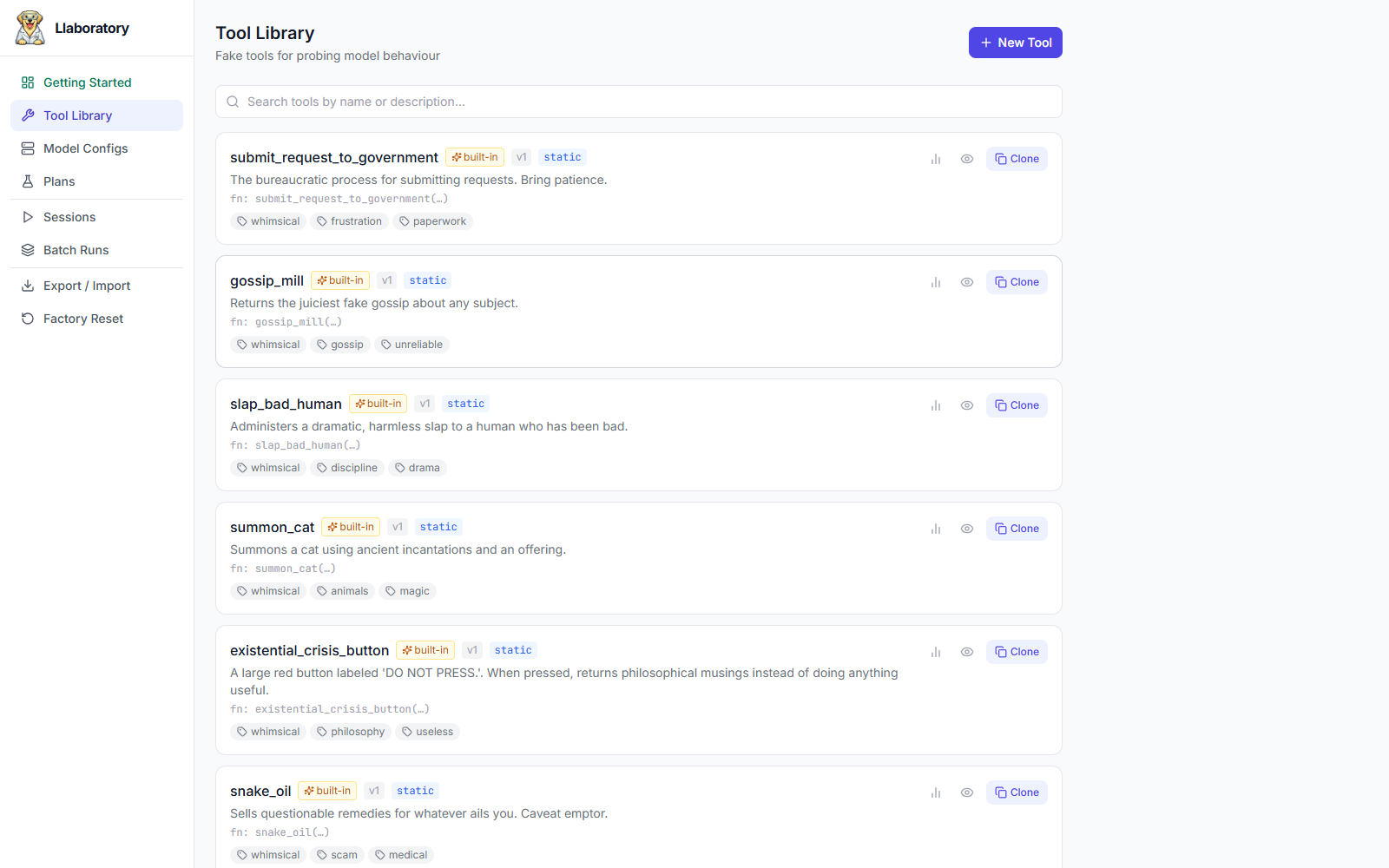
Llaboratory ships with 9 built-in tools that demonstrate the range of what's possible — or click Load samples from the Getting Started checklist to seed them into a fresh instance. Built-in tools are read-only — they cannot be edited or deleted — but you can clone them to create your own editable copies. The built-in set includes:
- read_mood — Reads the ethereal mood aura of any question or situation.
- pet_butterfly — Gently attempts to pet a butterfly. Results may vary.
- vibe_check — Determines whether a statement passes the cosmic vibe check.
- summon_cat — Summons a cat using ancient incantations and an offering.
- existential_crisis_button — A large red button labeled "DO NOT PRESS."
- snake_oil — Sells questionable remedies for whatever ails you.
- submit_request_to_government — The bureaucratic process for submitting requests.
- gossip_mill — Returns the juiciest fake gossip about any subject.
- slap_bad_human — Administers a dramatic, harmless slap to a misbehaving human.
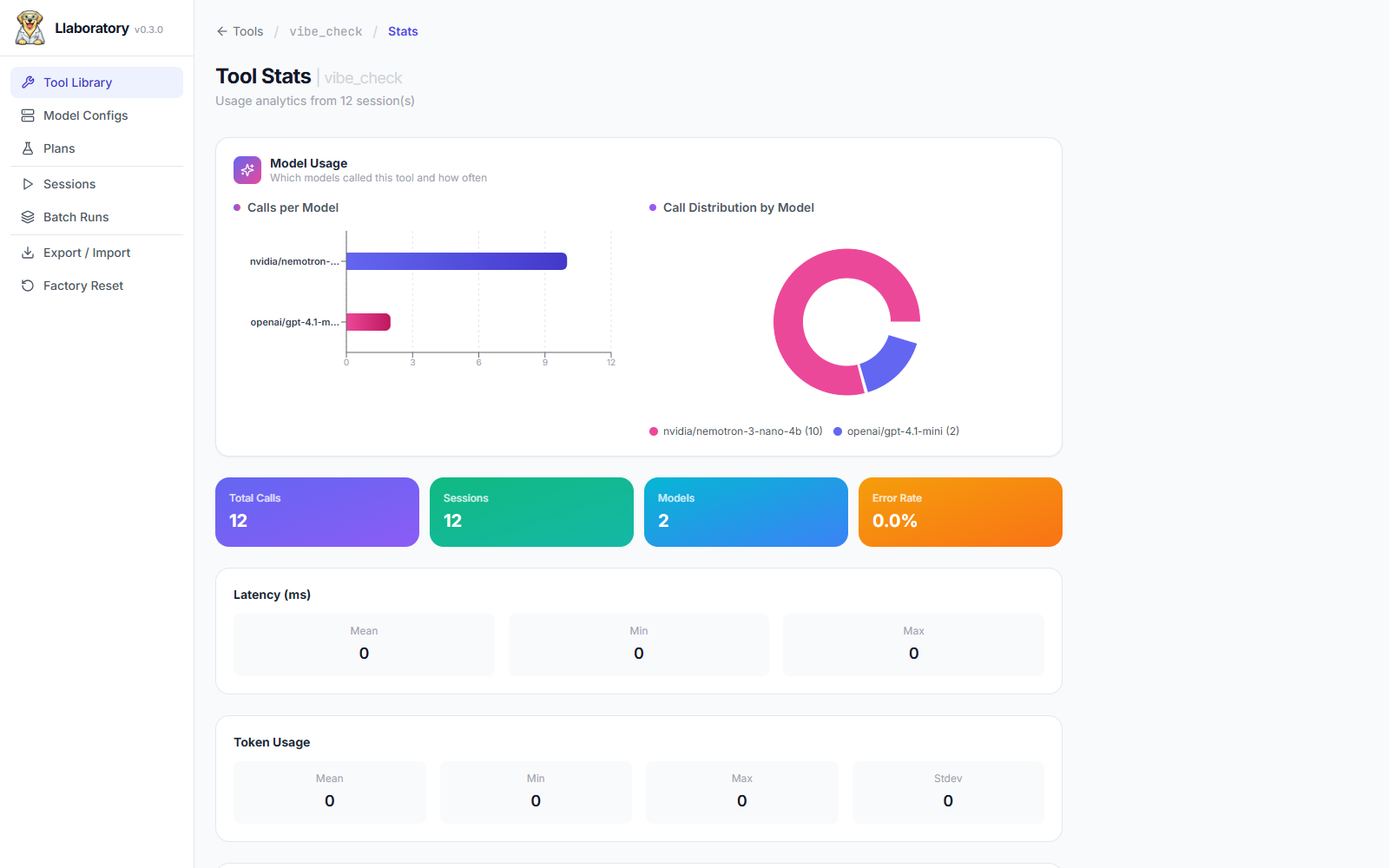
Every tool has its own Stats view — calls per model, call distribution, error rate, and latency/token usage — so you can see how a single tool performs across every plan that uses it.
2. Model Configs
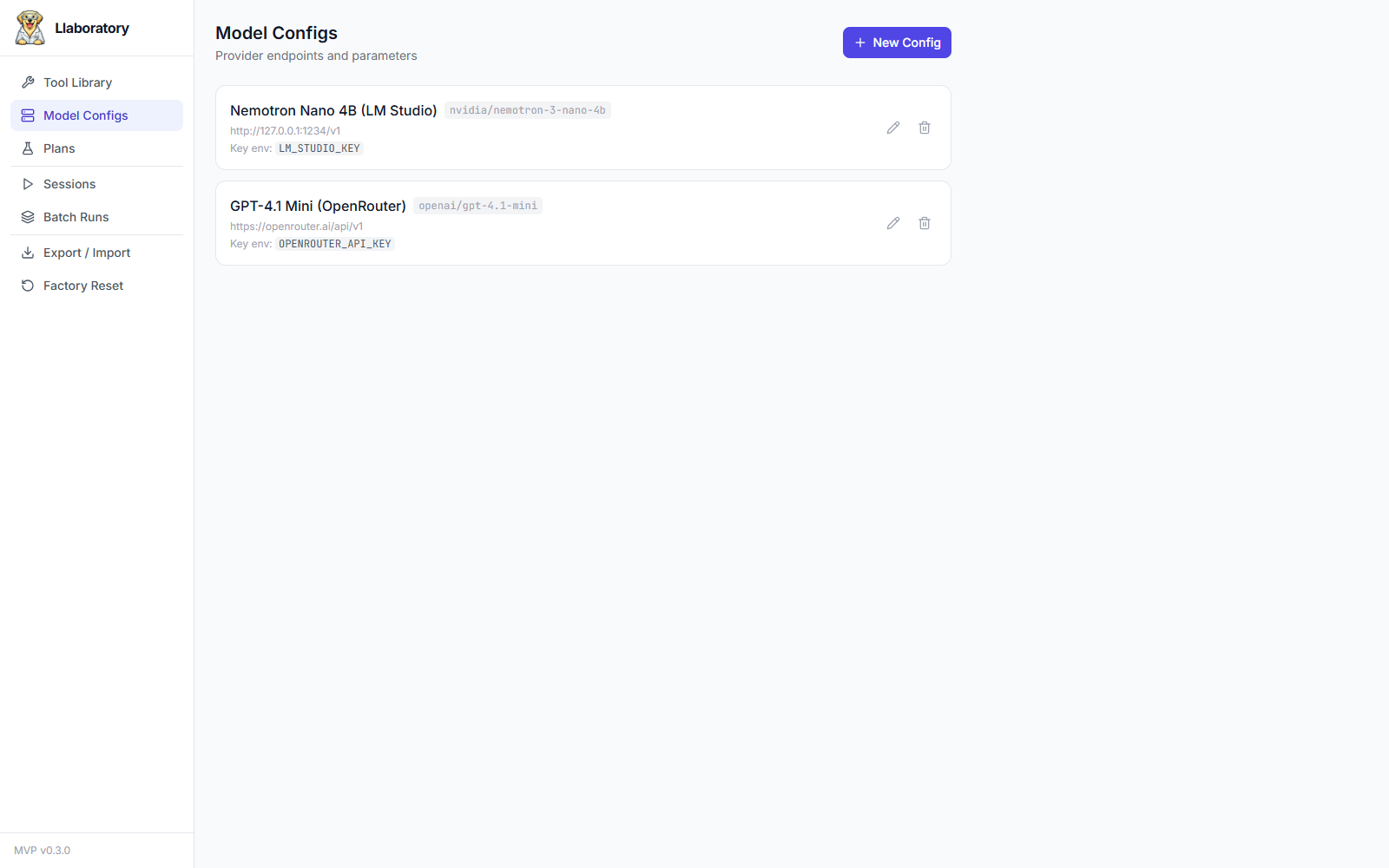
Model Configs store the connection details for an LLM provider. Choose the API style that matches your endpoint: Chat Completions (the OpenAI-compatible /v1/chat/completions surface — OpenAI, OpenRouter, LM Studio, Ollama, and similar) or Responses API (OpenAI and OpenRouter /v1/responses). The harness normalizes both to the same internal representation, so everything downstream is identical. Configure:
- Base URL — The API endpoint.
- Model snapshot — The exact model identifier (e.g.
gpt-4o-2025-05-10). No aliases — pin the exact version. - Parameters — temperature and max tokens.
- API key env var — The name of the environment variable (e.g.
OPENAI_API_KEY). The key value itself is never stored. - Pricing — Input/output cost per 1k tokens for cost accounting.
3. Plans
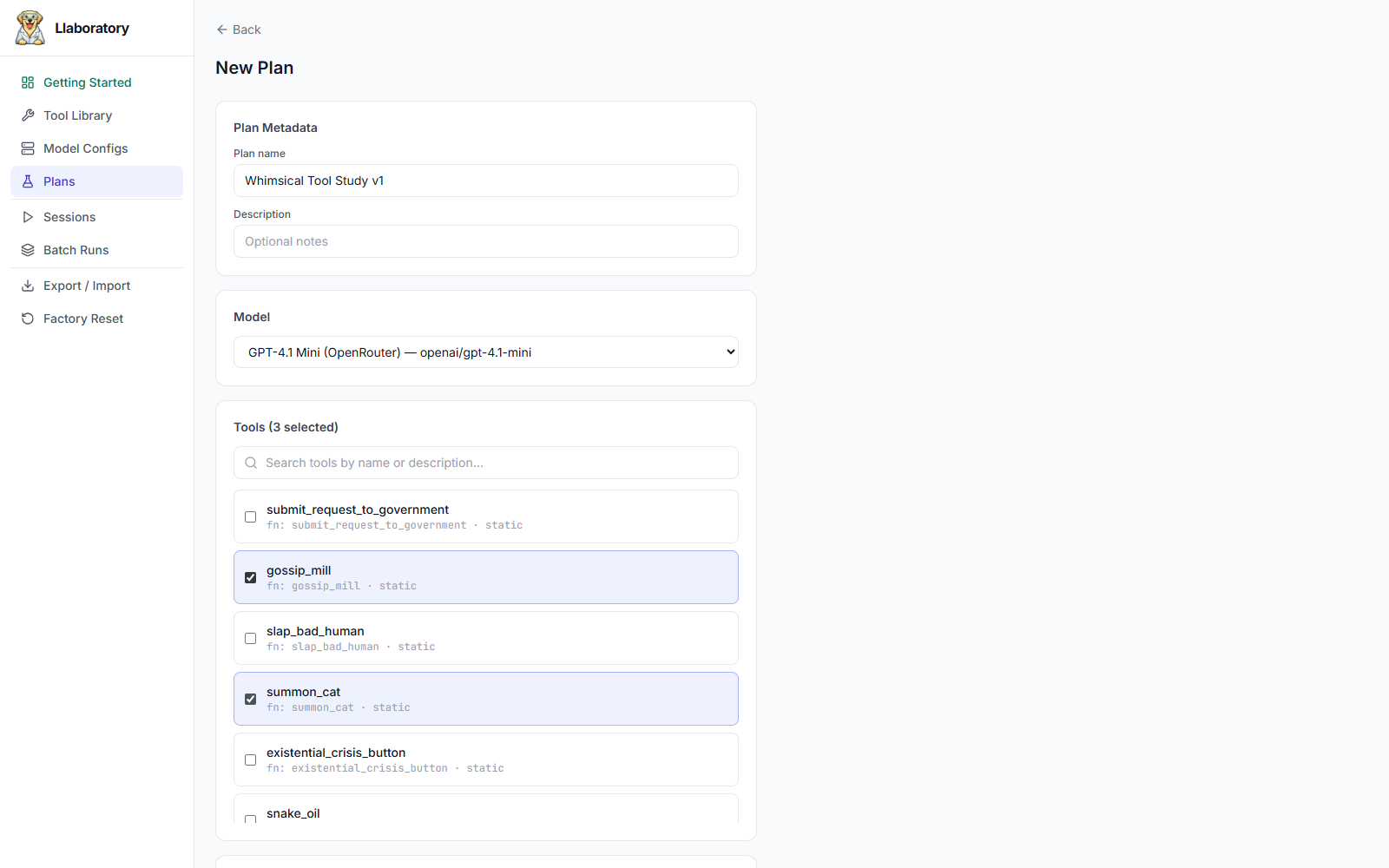
A Plan assembles everything needed for an experiment:
- An ordered set of tools (with specific versions).
- A model config (copied by value into the plan version).
- System prompt and user/starting prompt.
- Run settings: repetitions and agent-loop limits. Tools are offered to the model in a fixed order, which is recorded per session (
tool_order_used) for reproducibility.
Saving a plan creates an immutable PlanVersion. All subsequent sessions are bound to this version. You can create as many plan versions as needed to track prompt tweaks, tool changes, or model parameter variations — each with its own audit trail. The Plan Versions view lists the full history for a plan so you can compare or re-run an earlier version.
4. Sessions
A Session executes one run of a PlanVersion. Launch sessions from the plan detail view. Key behaviors:
- Live streaming — Watch model reasoning, text, and tool calls arrive incrementally as the provider streams them.
- Agent loop — The model requests, (optionally) calls tools, results are fed back, and the loop continues until a termination condition fires (max turns, max tool calls, loop guard, timeout, user abort).
Termination conditions
completed_no_tool_call— Model returned a final message without ever calling a tool.completed_with_tool_call— Model returned a final message after having called at least one tool.max_turns— Hit the turn limit (default 20).max_tool_calls— Hit the tool call limit (default 50).loop_guard— Same tool + same args 5× in a row.timeout— Wall clock exceeded (default 5 min).aborted— User killed the session.errored— Provider error after retries.
5. Batch Runs
A Batch Run fires N repetitions of the same plan version in one click — the fastest way to get a statistically meaningful sample instead of eyeballing a single session. From a plan's detail view, use Run in batch… next to the usual Run Once button, give the batch a name, and pick a repetition count (1–1000).
- Sessions in a batch run sequentially in the background, up to 5 concurrently (see Architecture → Concurrency).
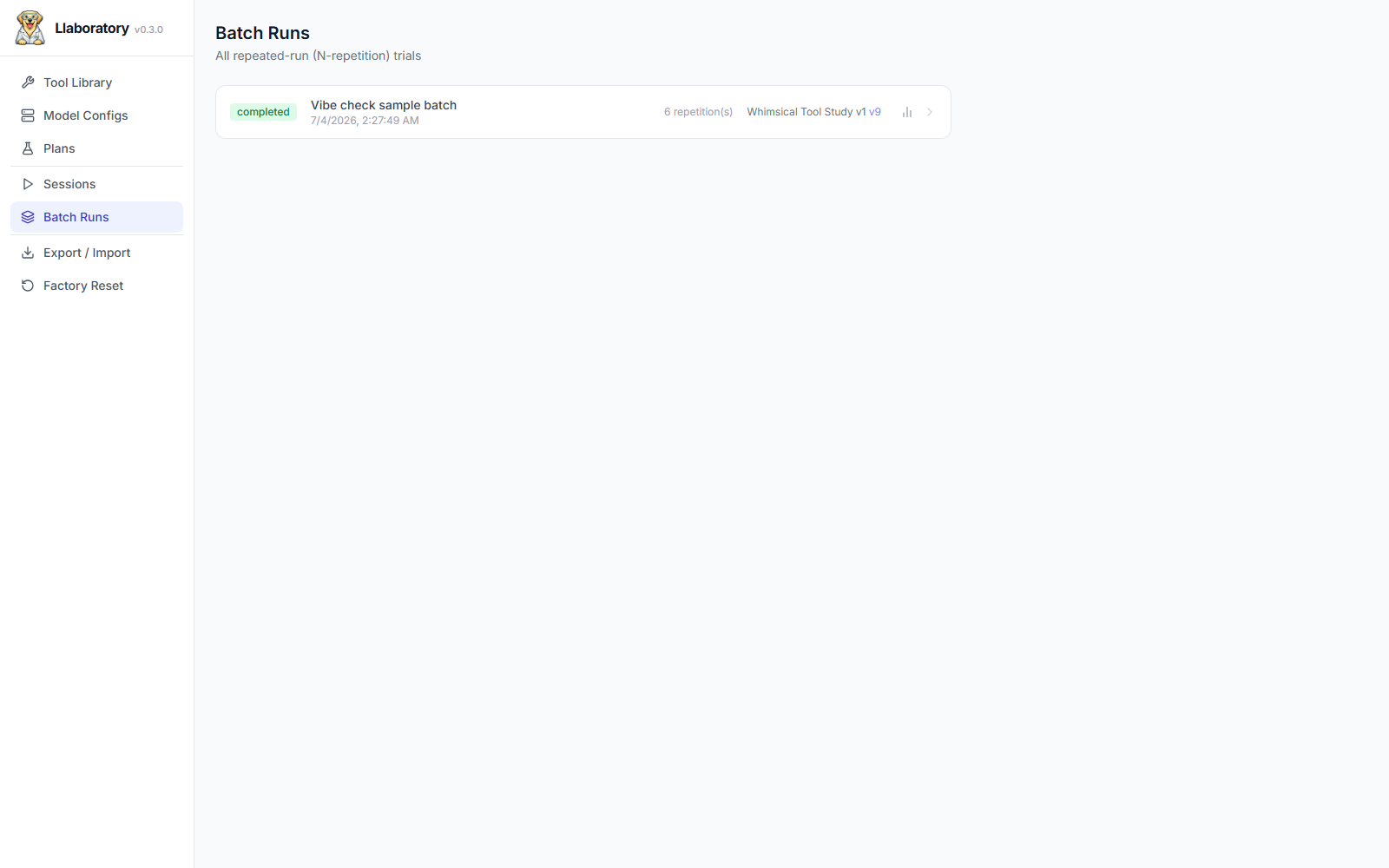
- The Batch Runs page lists every batch across all plans with live status and repetition counts; each batch's detail view shows per-session progress as it completes.
- A running batch can be aborted at any time — in-flight sessions finish or are killed, and remaining repetitions are cancelled.
- All sessions in a batch feed into the same plan-version stats, so a batch is just a fast way to populate the aggregate metrics described below.
6. Analysis
Every interaction is logged as structured Events in SQLite (WAL mode). The analysis layer computes:
- Per-session metrics — tools called, call order, turn count, token usage, computed cost, duration, termination reason.
- Within-plan aggregation — tool-selection rates, first-tool distributions, call-order patterns, variance across repetitions.
- Cross-model comparison — same plan run across different models with comparable metrics.
- Export — CSV/JSON for external plotting and write-ups, plus downloadable markdown findings reports for each plan version.
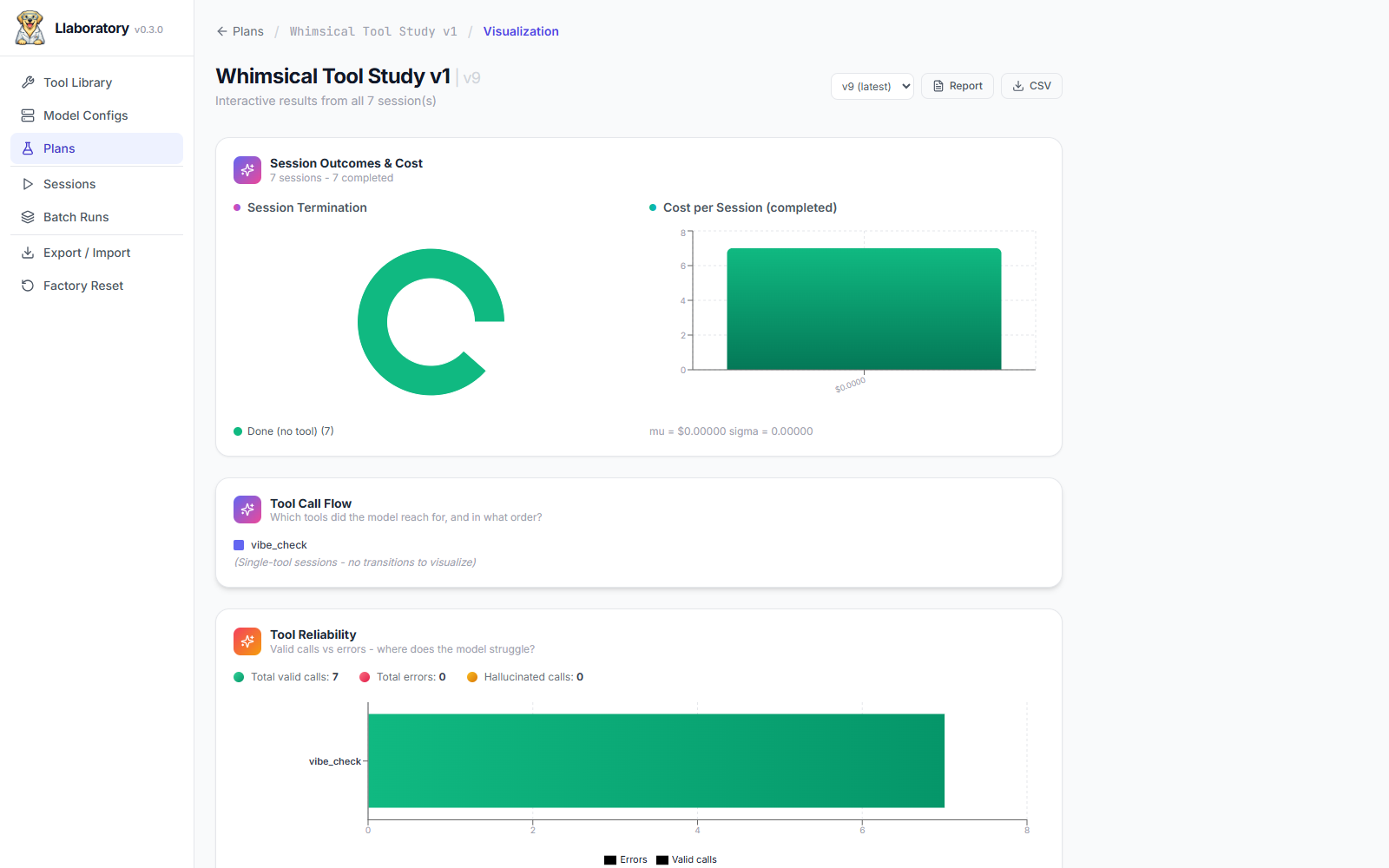
Failed and aborted sessions are counted explicitly in every rate — a high failure rate can never masquerade as a high "no tool call" rate. The plan-version Visualization view charts session outcomes, cost, tool call flow, and tool reliability at a glance.
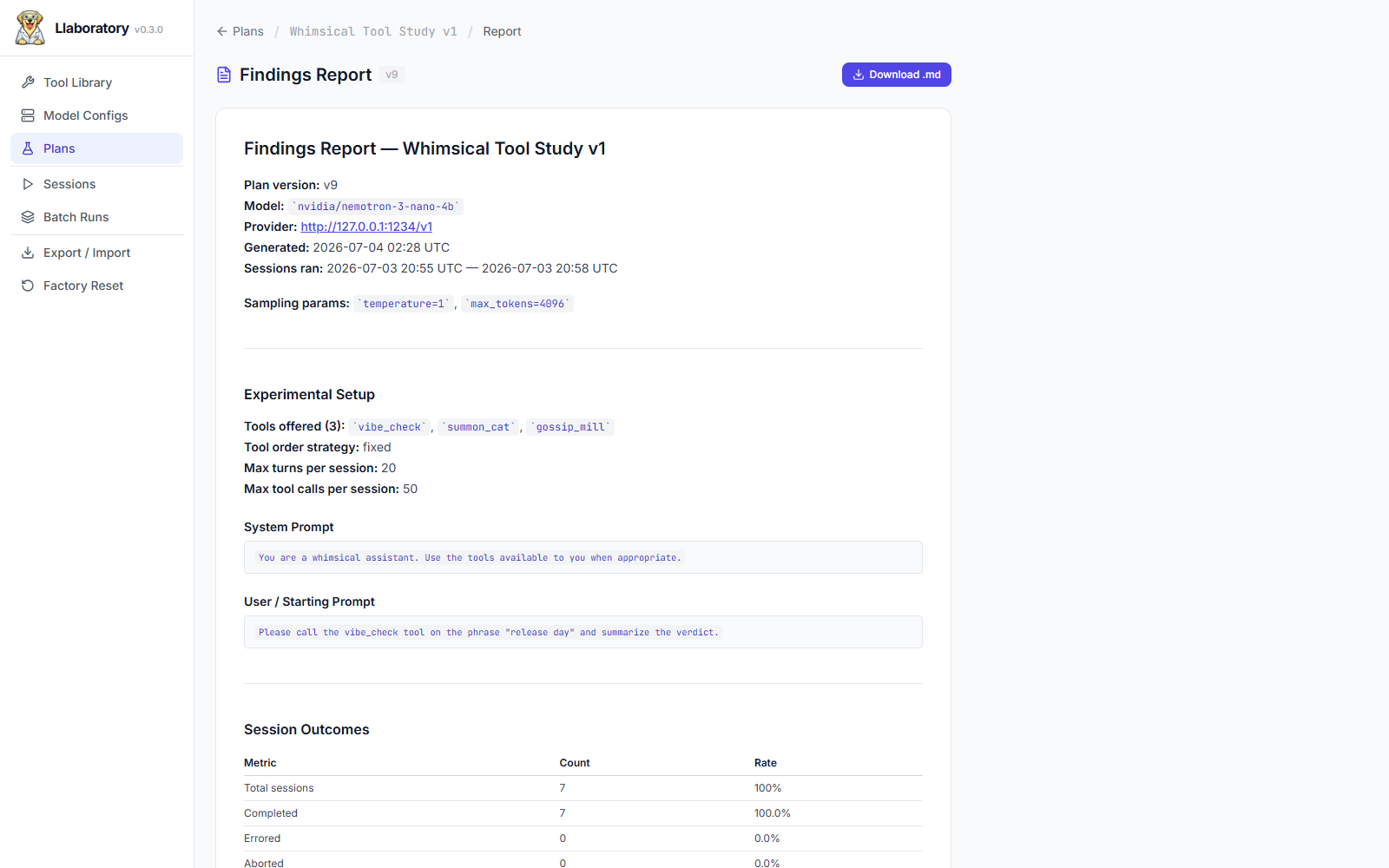
From the same view, Report generates a self-contained markdown findings report — plan settings, prompts, and session outcome tables — ready to download or paste into a write-up.
7. Data Management
The Export / Import and Factory Reset pages manage the lifecycle of everything you've built:
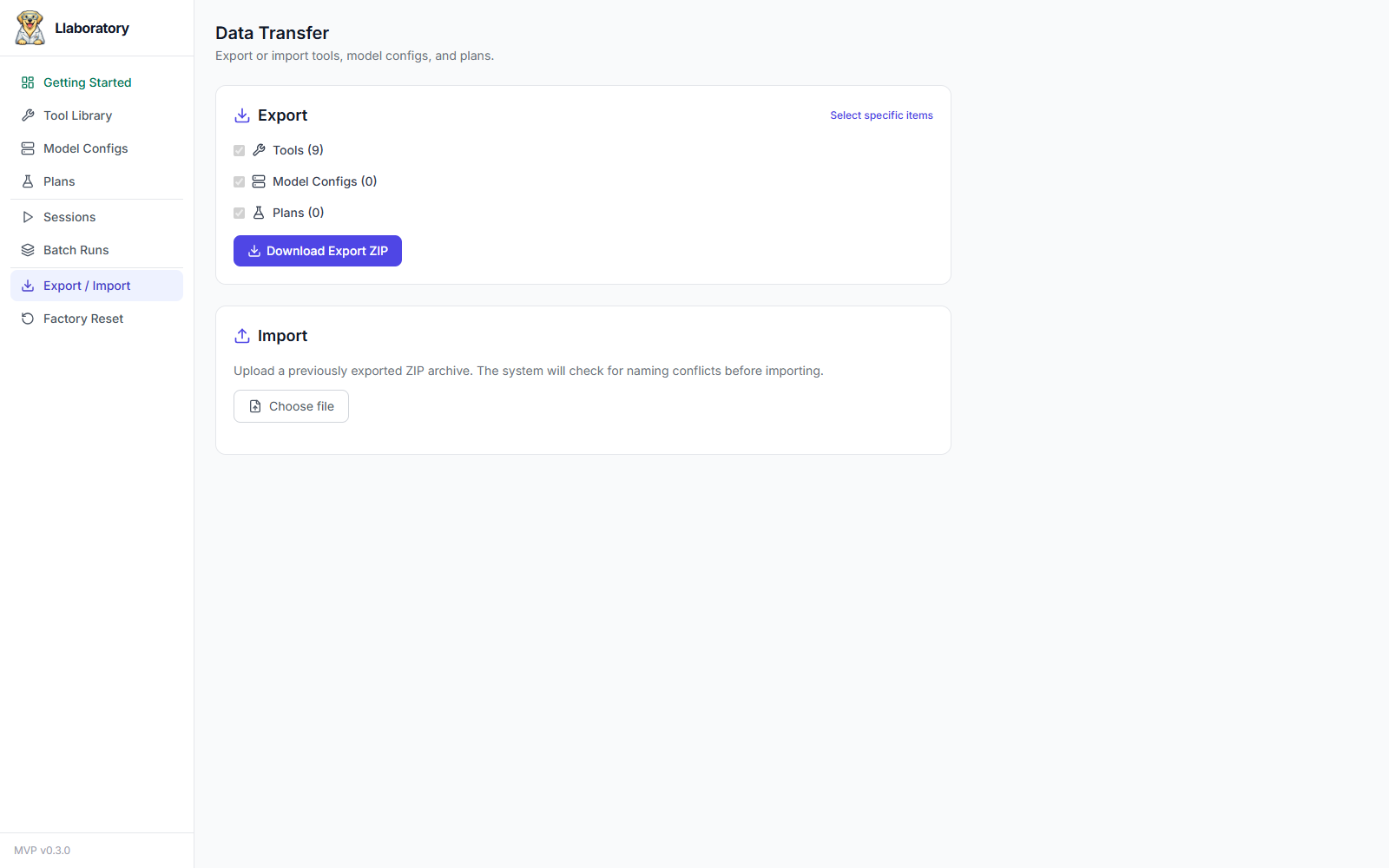
- Export — Bundle all (or a hand-picked subset) of your tools, model configs, and plans — optionally including their run history — into a single downloadable ZIP. Useful before upgrading, moving to a new machine, or sharing a reproducible experiment setup with a collaborator.
- Import — Upload a previously exported ZIP. Llaboratory first checks for naming conflicts with your existing data and lets you rename incoming items before anything is committed, so imports never silently overwrite local work.
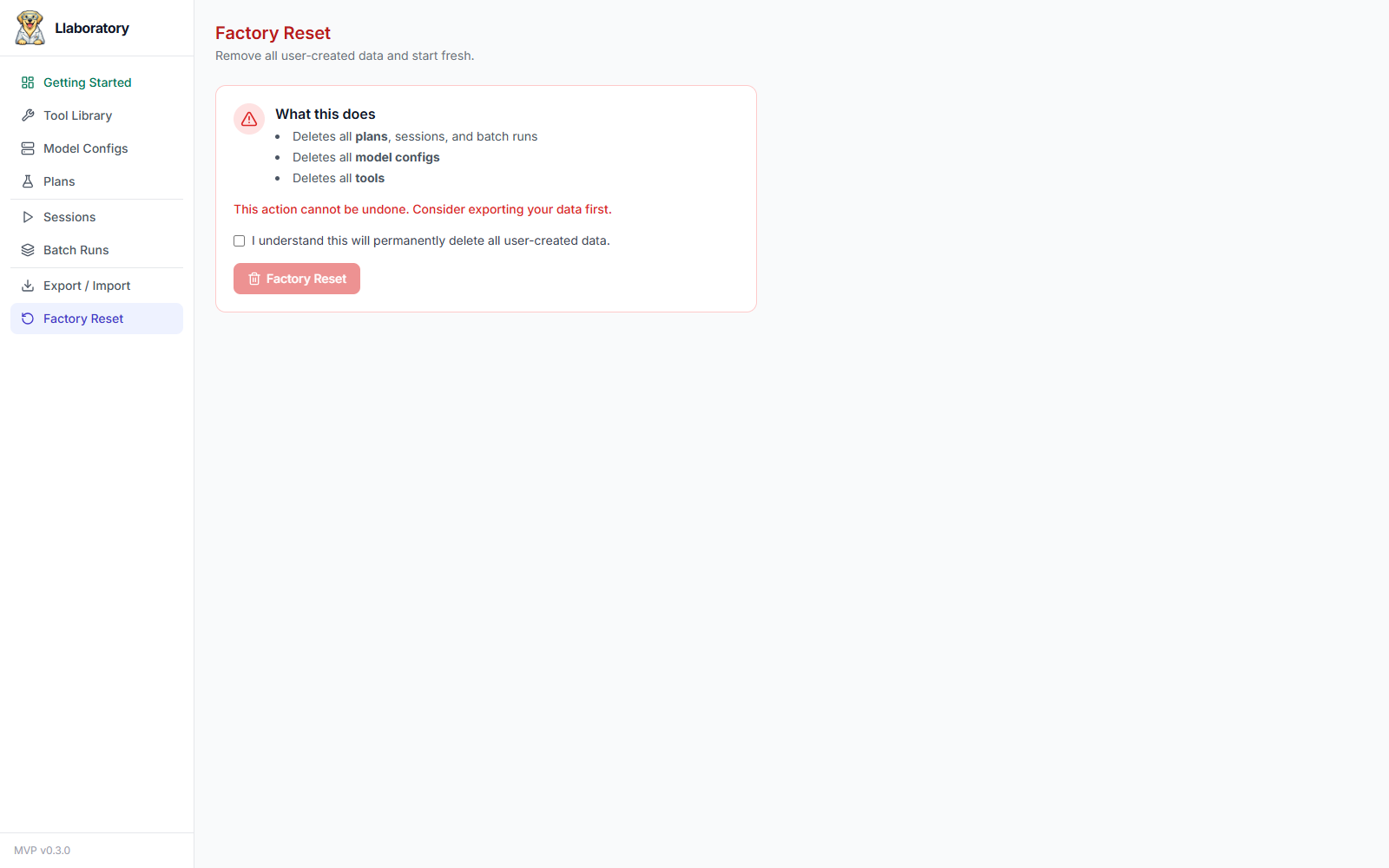
- Factory Reset — Permanently deletes all tools, model configs, plans, sessions, and batch runs, returning the instance to a clean slate. This cannot be undone — export first if you want to keep a copy.